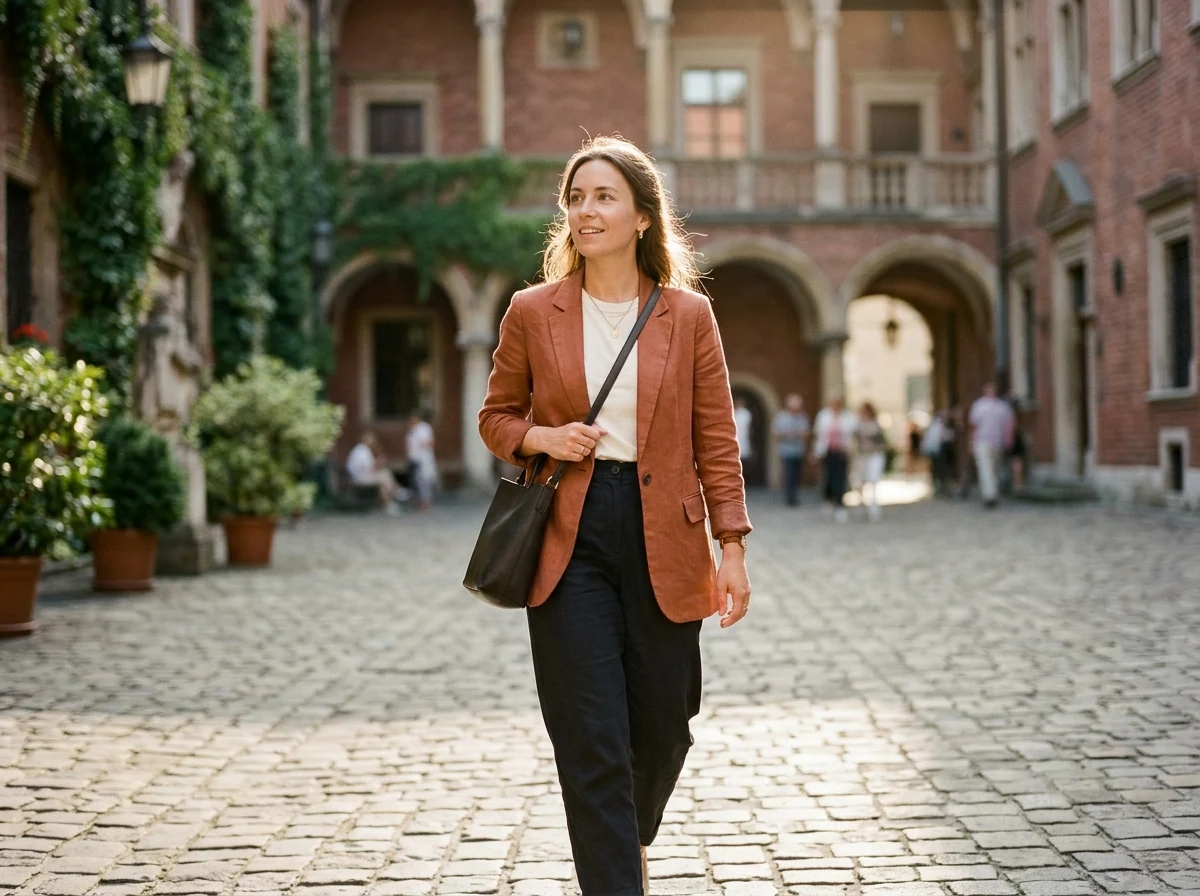
Kling Image 4.0 generates native 2K, 4K, and 8K photos, posters, and product visuals, supports 10 reference images and Series Mode, and delivers camera-grade realism.
Describe your image, or upload references and them to guide style, subject, or "exact text"...
Start free with 6 starter credits (1 native 2K image) · Native 2K / 4K / 8K · Zero watermarks on paid runs · Automatic credit refund on failed tasks
Discover What Kling Image 4.0 Can Create
Explore production-ready prompts curated for our Kling Image 4.0 workspace. Click Use Prompt on any card to load the exact text and recommended settings straight into the studio above.
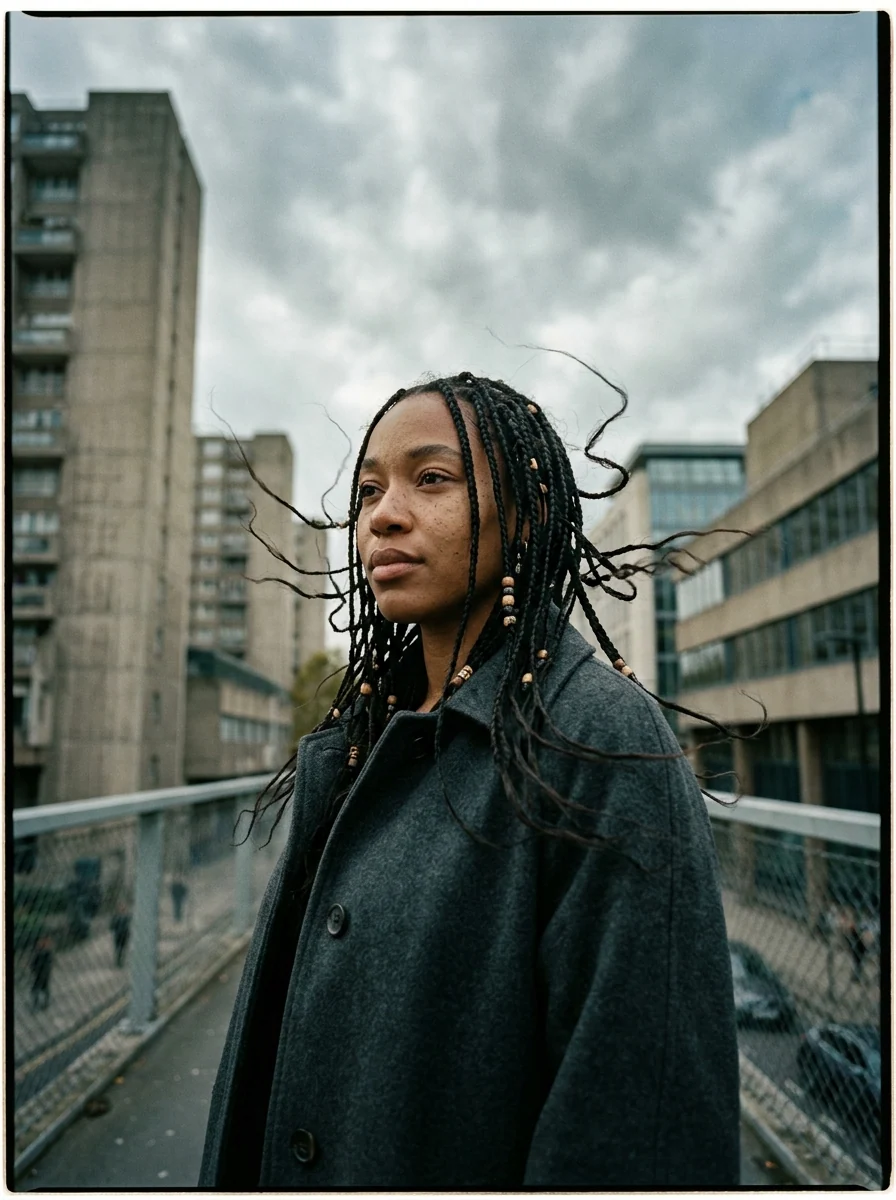
Default · 8K · 3:4
Native 8K Candid Portrait (24mm Editorial)
Low-angle 24mm candid portrait of a young woman standing on a windy city overpass under overcast skies, beaded braids catching the breeze, muted slate architecture behind her, unedited camera photo look, natural pores, individual strands of hair, soft daylight, subtle 35mm grain.
01 · 3:4
Default · 4K · 2:3
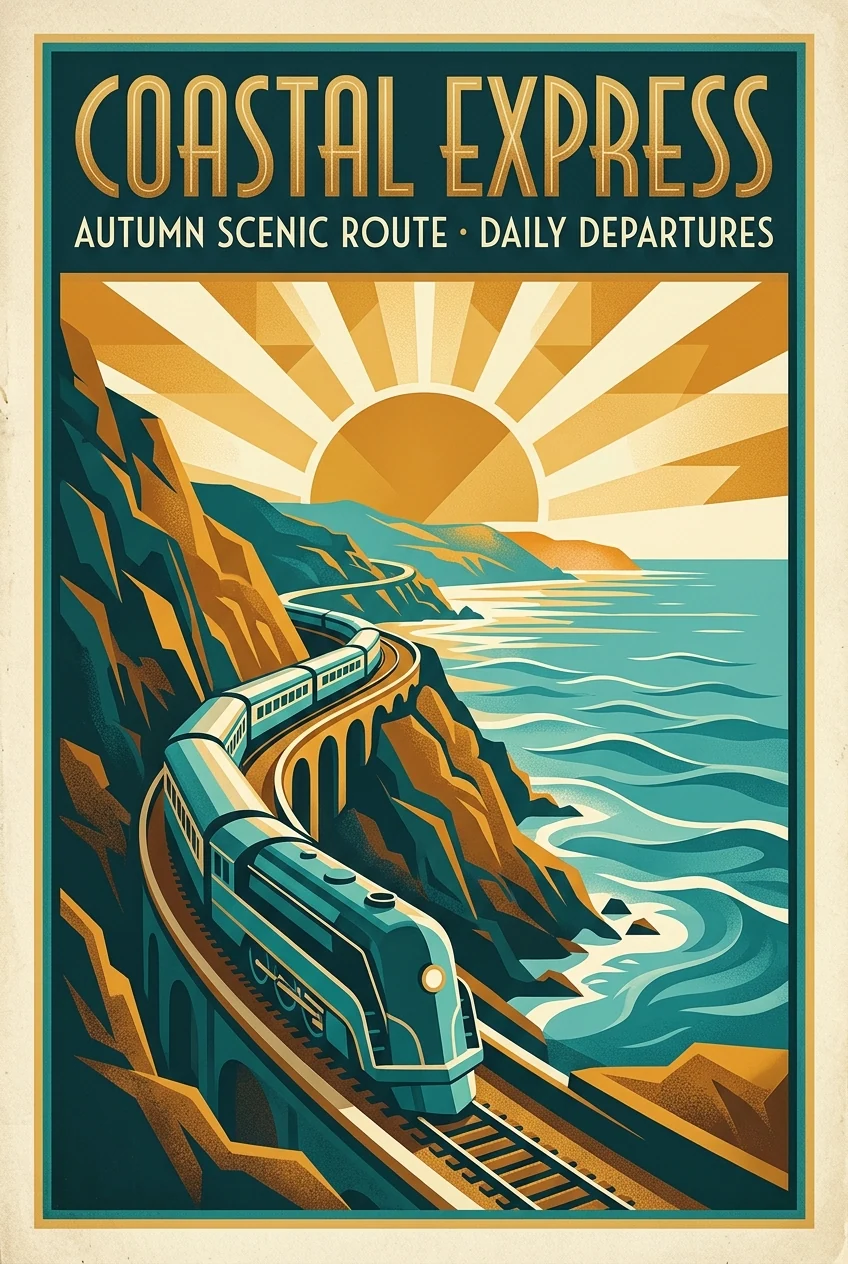
High-Density Poster Typography (Art Deco Print)
1930s Art Deco travel poster in warm amber, deep teal, and ivory, bold geometric sunrise over a coastal cliff railway, clean layout with main headline "COASTAL EXPRESS" in tall metallic gold sans-serif at top, subtitle "AUTUMN SCENIC ROUTE · DAILY DEPARTURES" below, crisp small footer schedule text, print-ready graphic composition.
02 · 2:3
Default · 4K · 1:1
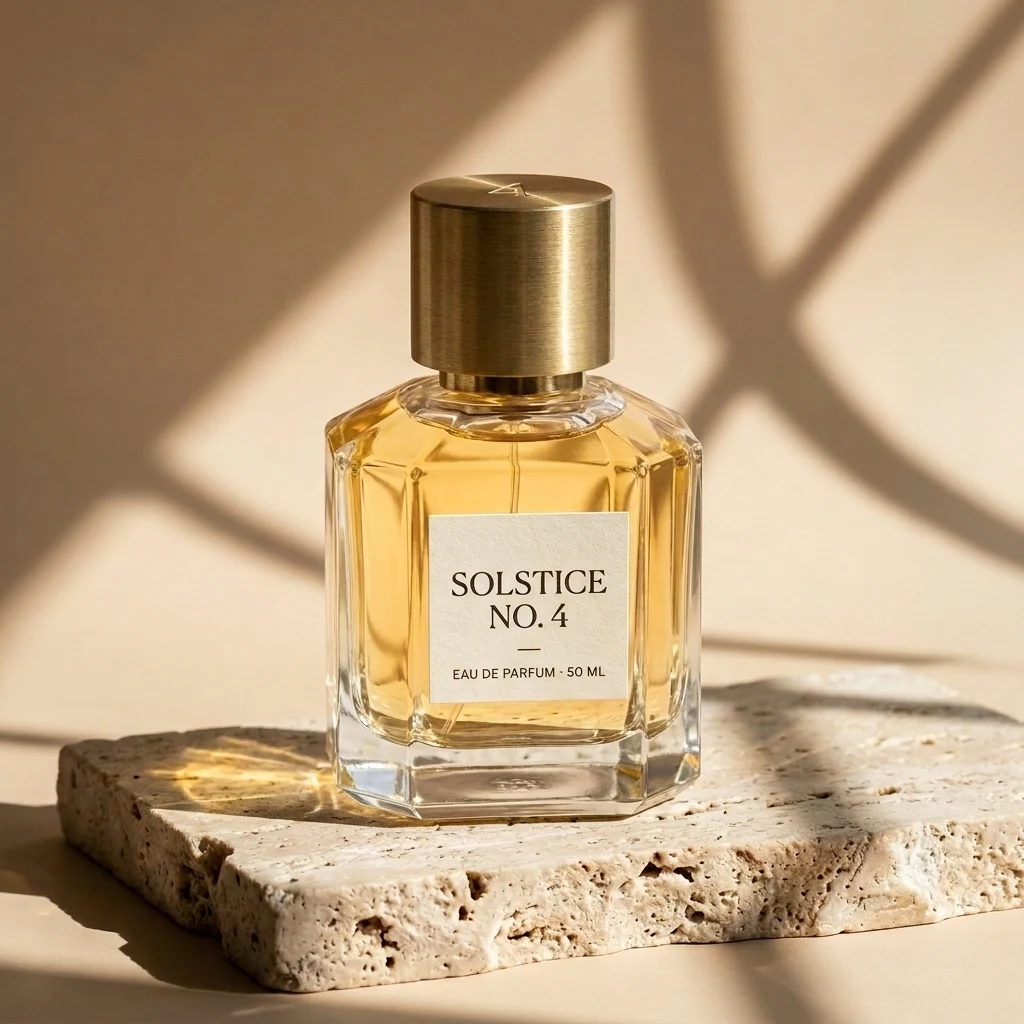
Luxury Fragrance Product Photography (HEX Color Control)
Minimalist commercial product photograph of a faceted glass perfume bottle filled with pale amber liquid and a brushed brass cap, clean paper label reading "SOLSTICE NO. 4 — EAU DE PARFUM · 50 ML", resting on a warm travertine slab against a seamless backdrop in HEX #E9DFD2 with crisp sunlight shadow lines.
03 · 1:1
Series ×4 · 2K · 16:9
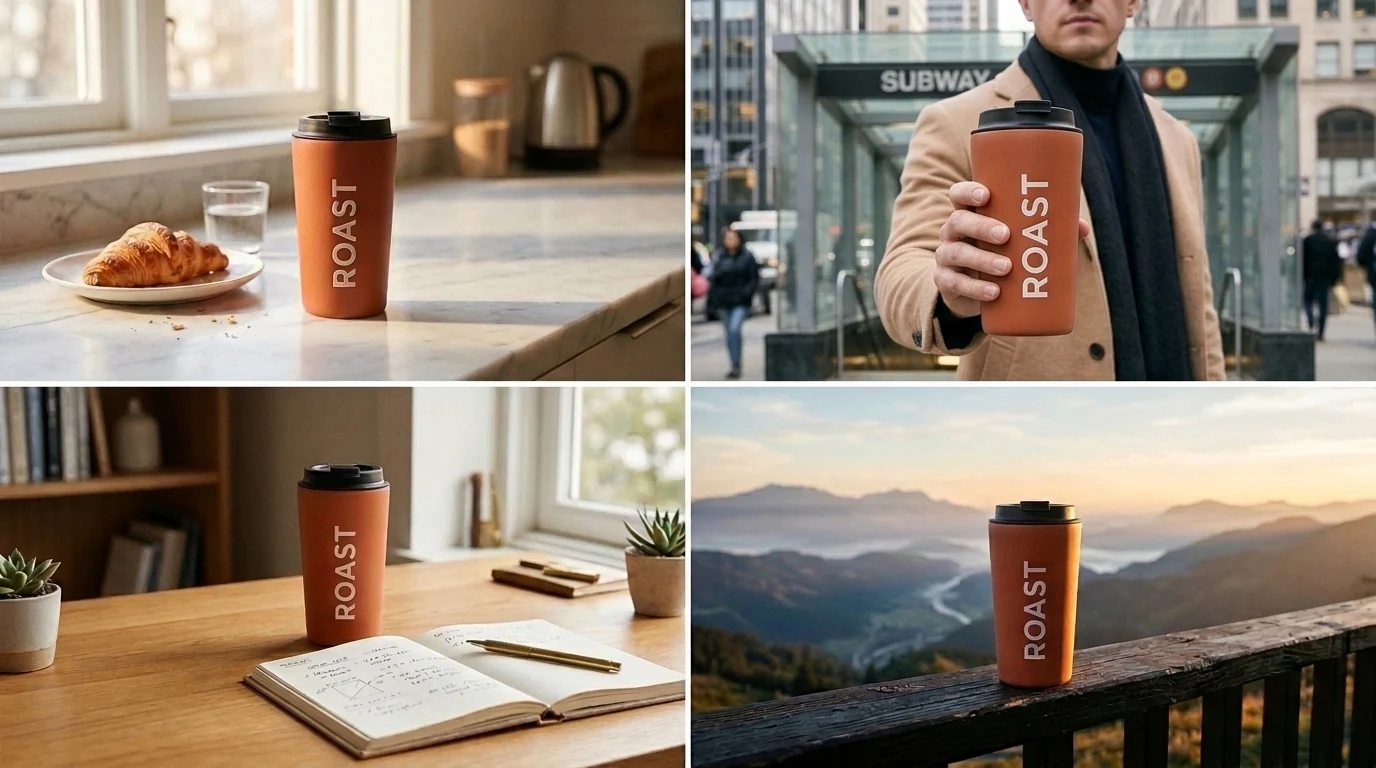
Consistent 4-Frame Brand Campaign (Series Mode)
Create a cohesive 4-image lifestyle campaign for a matte terracotta insulated coffee tumbler with the word "ROAST" embossed in white: frame 1 minimalist morning kitchen counter, frame 2 commuter holding the tumbler outside a subway entrance, frame 3 desk setup beside an open notebook, frame 4 golden-hour mountain overlook. Keep identical tumbler shape, terracotta finish, and logo across all four shots.
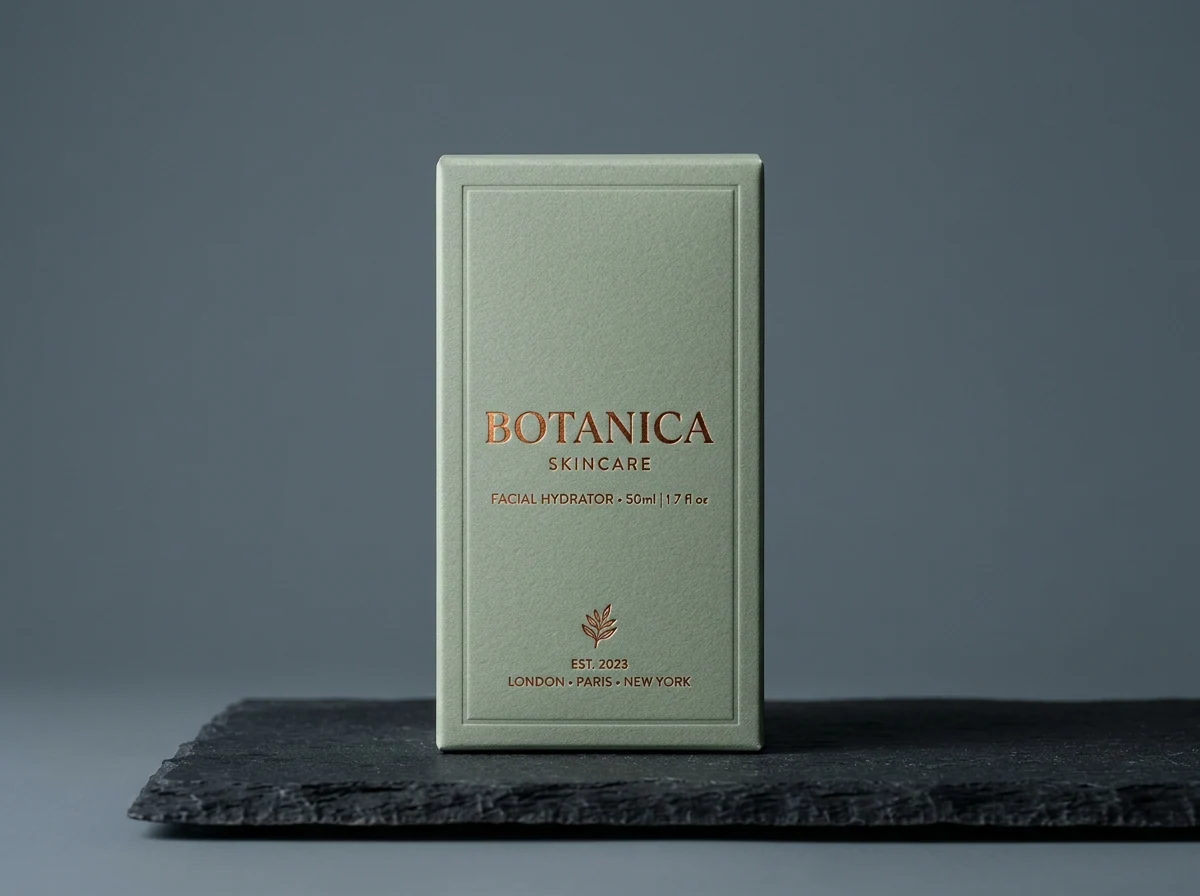
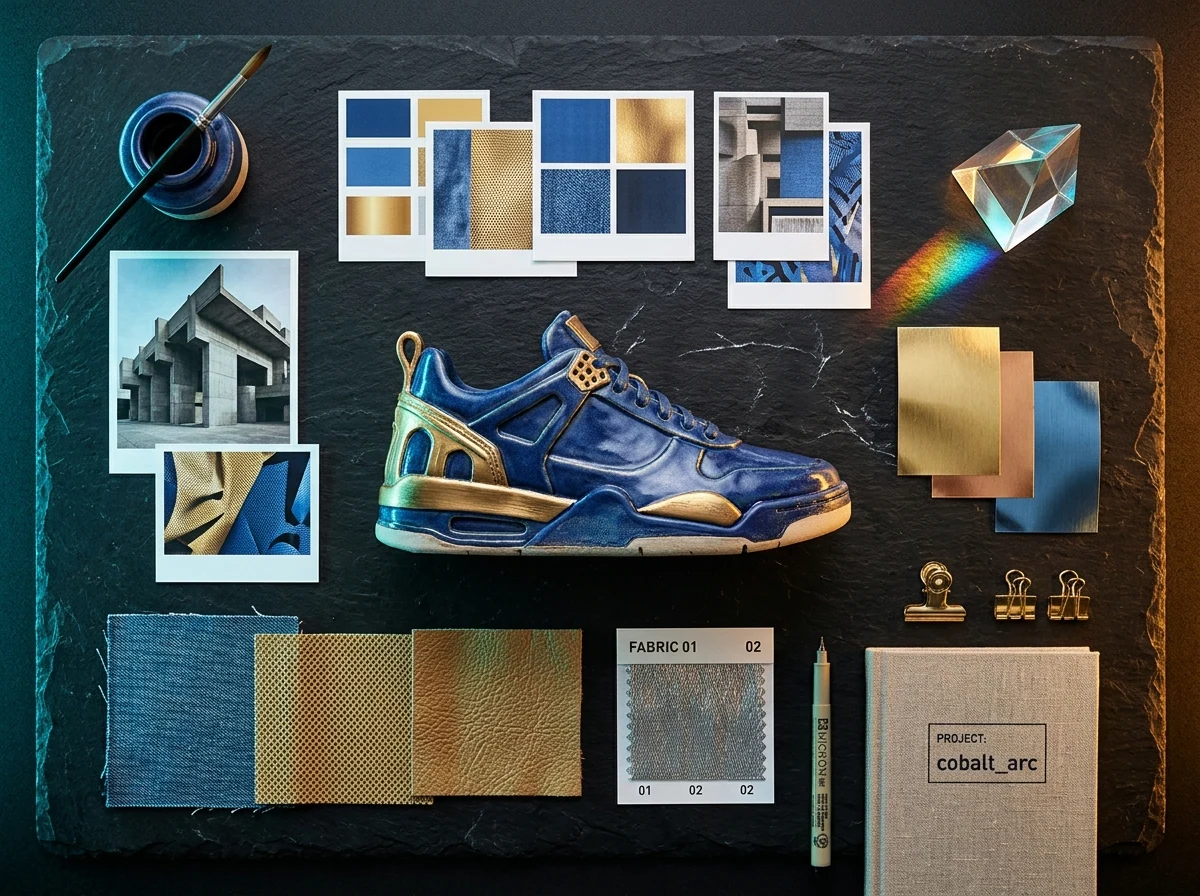
Commercial studio repackaging shot keeping the exact box geometry, embossing, and label layout from @image_1, recolored to match the muted sage green and copper foil palette from @image_2, soft diffused softbox reflections on matte cardboard texture, straight-on eye-level camera angle.
05 · 4:3
Default · 4K · 16:9
Natural Group Portrait Without Clone Faces
Candid documentary photograph of five creative studio founders gathered around a timber worktable covered in fabric swatches and sketches, diverse ages, distinct facial features and expressions, warm afternoon window light streaming from the left, authentic unposed posture, natural skin texture, shot on 35mm lens.
06 · 16:9
Key Features of Kling Image 4.0
Every capability highlighted below is live in our online Kling Image 4.0 generator—no waitlist, no hidden regional lockouts, and transparent per-generation credit costs.
01Native 2K, 4K, and 8K Resolution Out of the Box
Most AI image tools generate a small canvas and stretch pixels afterward, leaving blurred edges when cropped for print or hero banners. Kling Image 4.0 produces native 2K, 4K, and 8K outputs directly from the model's unified architecture. Fine skin texture, woven textiles, reflective glass, and distant architectural details stay sharp even at 400% zoom, making Kling AI image resolution suitable for large-format posters, retail banners, and tight post-production crops.
02Up to 10 Multi-Image References with Exact @image_1 Tagging
Instead of gambling on text descriptions alone, upload up to 10 JPG or PNG references right in the studio and call them explicitly inside your prompt as @image_1, @image_2, up to @image_10. This Kling image reference workflow lets you combine a product bottle, a model's facial identity, a brand color sheet, and a lighting moodboard inside one pass—ideal for Kling image-to-image product variations, fashion lookbooks, and consistent character sheets.
03Series Mode: 2 to 10 Cohesive Images from One Prompt
Creating matching storyboards or multi-angle catalog shoots usually means regenerating dozens of disconnected frames. Switch the workspace toggle to Series Mode to run Kling Image Series Mode with 2 to 10 coordinated outputs in a single request. The model plans shot progression automatically while holding character identity, wardrobe, lighting mood, and prop logos steady across every frame—cutting repetitive prompt tweaking for short-film storyboards, pitch decks, and product campaigns.
04Crisp 2,000-Character In-Image Text Rendering Across 7 Languages
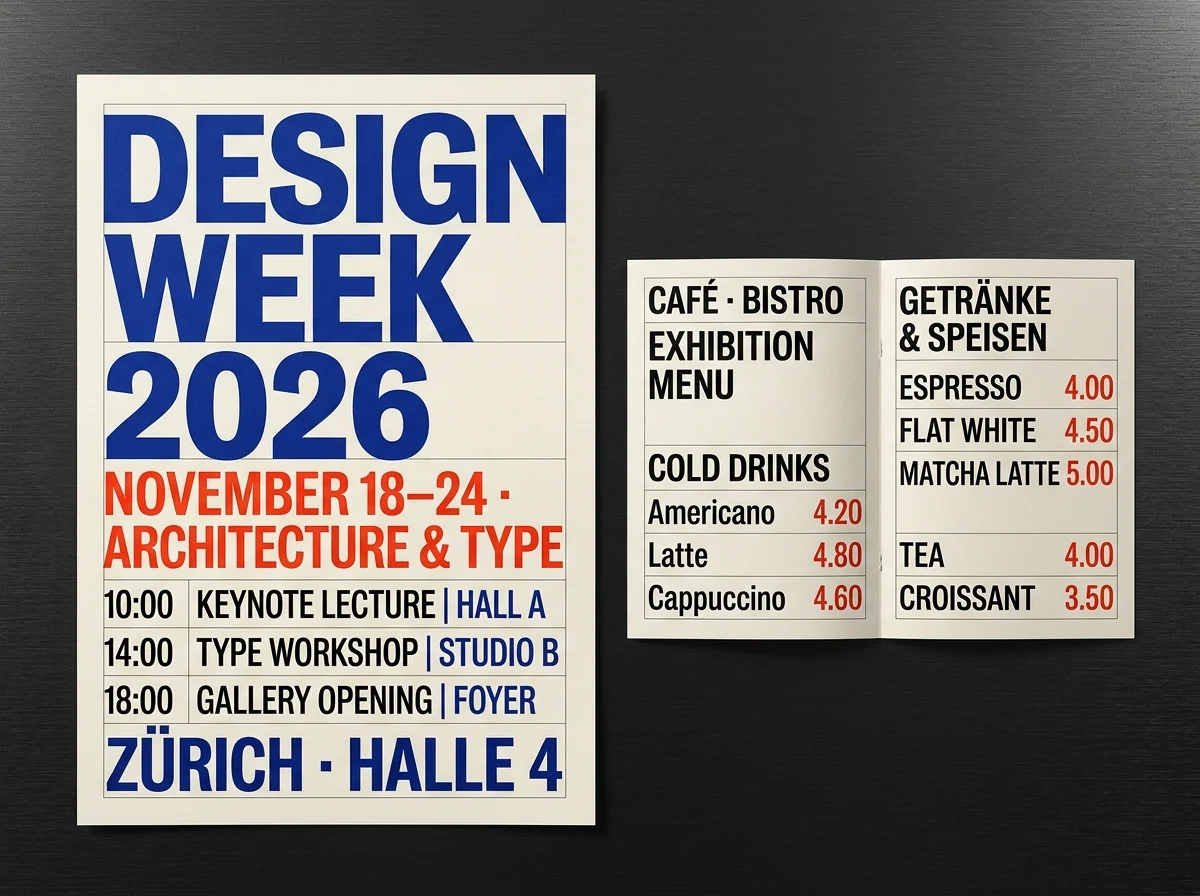
Poster headlines, packaging nutrition panels, café menus, and multilingual infographics often break in older generators. Kling Image 4.0 renders up to 2,000 characters of clean, legible typography inside a single image across English, Simplified Chinese, Traditional Chinese, Japanese, Korean, Spanish, and Portuguese. Wrap exact phrases in quotation marks and specify placement, font feel, or HEX palette codes to keep headlines and fine print readable in one pass.
05Natural Camera Realism and Distinct Group Portraits
Trained on a unified understanding-and-generation backbone, this Kling text-to-image engine avoids plastic skin sheen and repetitive AI face templates. Candid daylight photography, natural shadow transitions, accurate material reflections, and varied facial structures across multi-person scenes come out closer to straight-from-camera photography—giving commercial teams reliable assets without heavy retouching.
How to Use Kling Image 4.0 Online
Launch your first high-resolution render in three straightforward steps—no local GPU setup or complex code required.
01Write Your Prompt or Attach Reference Images
Enter a detailed description (up to 20,000 characters) directly in the studio box, or start from our Kling image prompt guide presets above. Need strict subject or style control? Upload 1 to 10 JPG or PNG reference images and mention them inline using @image_1, @image_2, and so on. For readable on-image text, wrap exact words inside quotation marks.
02Choose Mode, Aspect Ratio, and Native Resolution
Select Default Mode (1–5 parallel variations) for quick exploration, or Series Mode (2–10 linked frames) for storyboards and matching product sets. Pick Auto or any of the 8 fixed aspect ratios (1:1, 16:9, 9:16, 4:3, 3:4, 3:2, 2:3, 21:9), then choose native 2K (6 credits), 4K (9 credits), or 8K (15 credits per image).
03Generate and Download High-Resolution Assets
Click Generate and track live progress inside the workspace. Your finished 2K/4K PNG or 8K JPEG renders save straight to your private history for instant full-resolution download—with zero brand watermarks and full commercial rights on all paid credits.
Kling Image 4.0 vs. Kling Image 3.0 Omni vs. GPT Image 2.6
Choosing between flagship generators comes down to native resolution ceiling, batch consistency, and cost per render. Here is how Kling Image 4.0 stacks up against its predecessor and a leading peer model in independent testing and published specifications.
If you are evaluating Kling Image vs. Nano Banana or comparing Kling 4.0 vs. 3.0 upgrades, Kling Image 4.0 stands out whenever zoomable 8K detail, dense multilingual typography, or multi-shot visual continuity matters most.
Built for Real Production Workflows & Why Creators Use KlingImage4
4 Proven Commercial Use Cases
E-Commerce Product Shoots & Packaging Variations
Upload your product photo as @image_1 and a seasonal color or scene reference as @image_2 to generate sharp 4K and 8K catalog visuals with crisp, readable bottle or box labels.
Film, Ad & Short-Drama Storyboards
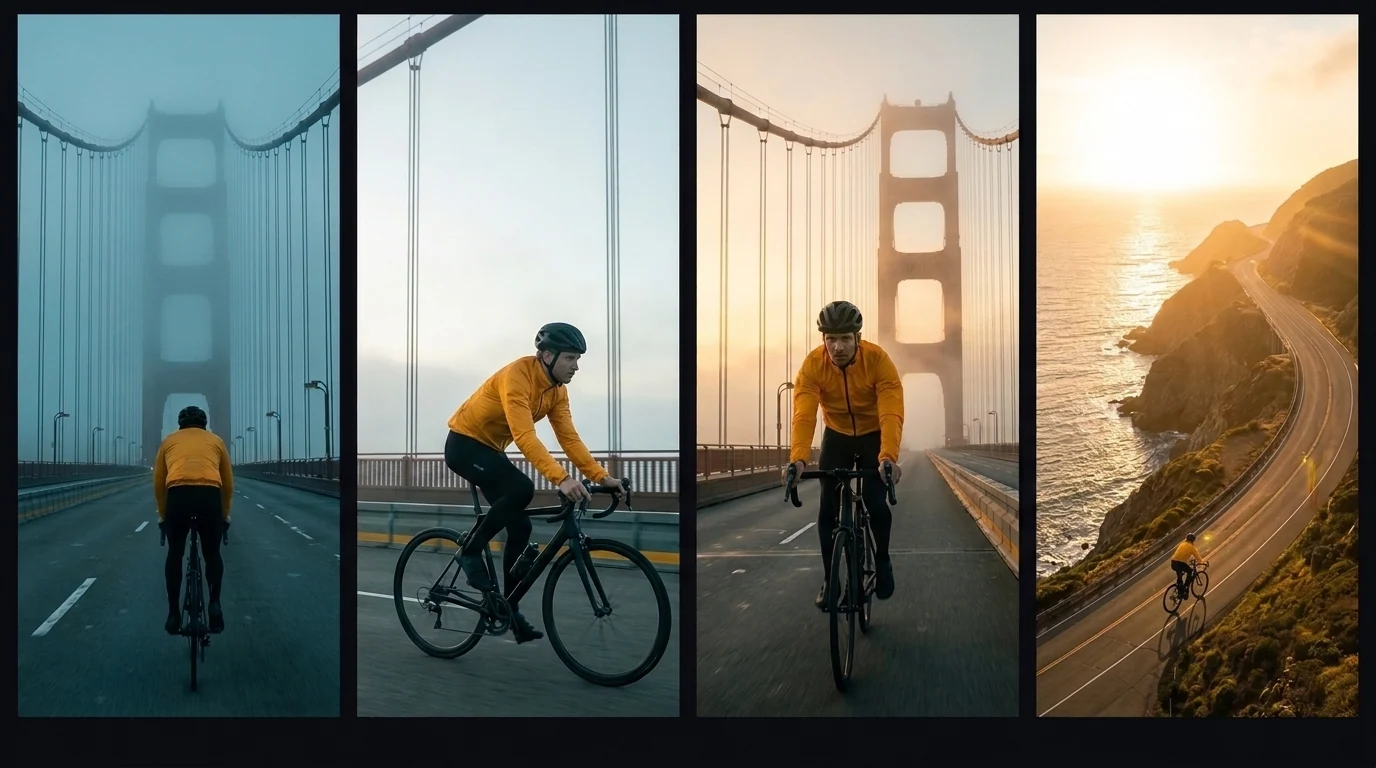
Use Series Mode to map 2 to 10 consecutive camera angles with one consistent protagonist, outfit, and lighting palette before moving into video animation or client sign-off.
Posters, Menus & Multilingual Social Campaigns
Render long copy blocks, event schedules, and bilingual English/Asian/European typography straight into print-ready 4K and 8K layouts.
Editorial Fashion & Natural Group Photography
Generate realistic multi-person campaigns and close-up beauty shots with distinct faces, authentic fabric grain, and true camera lighting.
4 Reasons Creators Choose Our Studio Over Official Subscriptions
Free Starter Credits Without a Credit Card
Every verified new account receives 6 free credits—enough to test one full native 2K Kling Image 4.0 generation before spending a dollar.
Every resolution and reference add-on displays its exact credit cost before you click Generate, with zero hidden throttling or misleading unlimited traps.
Zero Watermarks & Commercial Rights on Paid Runs
Paid subscription plans and credit packs unlock fast-track queues, clean high-resolution exports, and commercial usage rights without locking you into steep enterprise plans.
Automatic Credit Protection on Failures
If an upstream safety filter or temporary server error blocks a task, zero credits are lost—failed generations automatically refund your balance.
Kling Image 4.0 FAQs
Is Kling Image 4.0 free to try online?
Yes. New verified accounts on KlingImage4 receive 6 free starter credits, which covers one complete native 2K generation in our online workspace. Free starter runs use the standard queue; upgrading to any subscription or credit pack unlocks fast-track priority queues, 4K and 8K generation, multi-image Series Mode, and watermark-free commercial downloads.
What resolutions and file formats does Kling Image 4.0 support?
Kling Image 4.0 generates images natively at 2K (6 credits), 4K (9 credits), and 8K (15 credits)—there is no low-res 1K draft tier. Native 2K and 4K outputs download as crisp PNG files, while native 8K outputs download as high-detail JPEG files to keep massive 8K assets fast to preview and share.
How does Series Mode work for generating multiple consistent images?
In the workspace, switch from Default Mode (1–5 parallel variations) to Series Mode and pick between 2 and 10 images. Describe your character, product, and beat-by-beat shot progression in one prompt, and Kling Image 4.0 coordinates composition, wardrobe, colors, and lighting across the entire sequence. Credits scale linearly per generated image.
How many reference images can I upload in a single request?
You can attach up to 10 reference images (JPG or PNG, up to 20 MB each) in one prompt and reference them directly as @image_1, @image_2, up to @image_10. Reference attachments add only a small one-time fee per request (+1 credit for 1–3 images, +2 credits for 4–7 images, +3 credits for 8–10 images), regardless of how many output images you generate in Series Mode.
How much does Kling Image 4.0 cost on KlingImage4?
Credits are strictly transparent: 6 credits per 2K image, 9 credits per 4K image, and 15 credits per 8K image. Monthly plans start at $19/mo (450 credits, up to 75 fast 2K images) and annual plans start at $15/mo billed yearly—with Pro Yearly ($19.50/mo billed $234/yr, 1,000 credits/month) offering up to 166 fast 2K renders every month. One-time Credit Packs valid for 180 days are also available with no recurring billing.
How do I get the sharpest text rendering inside my images?
Wrap every exact word, headline, or label in quotation marks inside your prompt, describe its placement and typographic style (for example, bold condensed sans-serif or hand-lettered brush script), and choose 4K or 8K when rendering dense small copy. Kling Image 4.0 reliably supports up to 2,000 characters across seven major languages.
Are my generated images private and cleared for commercial use?
Yes. Your generations stay in your private workspace history rather than a public community feed. Every image created with paid subscription credits or credit packs is delivered without watermarks and is cleared for commercial campaigns, client work, and e-commerce listings.
What happens if a generation fails or triggers a safety filter?
Occasionally, strict upstream content moderation or transient network timeouts can interrupt a task. On KlingImage4, failed generations never cost you credits—our billing ledger automatically refunds the reserved credits straight back to your account balance so you can adjust your prompt and retry safely.
Start Creating Native 8K Visuals with Kling Image 4.0
Bring camera-grade realism, readable 2,000-character typography, and 10-shot Series Mode consistency into one fast creative workspace. Generate your first native 2K render with 6 free starter credits or explore transparent studio plans.
 Default · 8K · 3:4